Best Dell Developers Desktops Under $800 in 2026

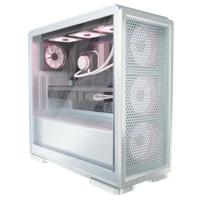


Dell Tower Desktop ECT1250 2025, Core Ultra 7 265, 64GB, 4TB SSD, Black

Great Alternatives
These options also score highly and may better suit your specific needs
Dell Pro Tower Plus QBT1250, Core Ultra 5, 32GB, 1TB SSD, Black
Why we recommend this ▼
Equipped with an Intel Core Ultra 5 processor featuring a dedicated NPU, this mid-tower accelerates local AI tasks like real-time video conferencing effects and Copilot assistance. Its native triple 4K DisplayPort output and tool-less, serviceable chassis offer expansive multi-monitor productivity and enterprise-grade IT manageability. This desktop is best for financial analysts and IT-managed office environments requiring secure, AI-enhanced multitasking across multiple high-resolution displays.

Dell Pro Tower Plus 2025, Core Ultra 5 235, 16GB, 1TB SSD
Why we recommend this ▼
Built on a reliable OptiPlex-style chassis, it stands out with an Intel Core Ultra 5 235 processor featuring a 13 TOPS NPU for AI-accelerated business tasks. The system drives up to three 4K displays natively via its triple DisplayPort outputs and includes a rare built-in DVD-RW drive for legacy media access. This desktop is best for IT-managed office environments and financial analysts needing a secure, multi-monitor workstation with extensive wired connectivity.

Dell DECS1250-3170BLK-PUS 2024, Core i3-14100, 8GB, 512GB SSD, Black
Why we recommend this ▼
The Intel Core i3-14100 and 8GB DDR5 RAM handle everyday tasks, while the 512GB SSD and Wi-Fi 6 keep things snappy. Its tool-less side panel makes upgrades easy, and the compact 3.49kg build fits small desks. Best for office workers needing a secure, multi-monitor setup for documents and browsing, not gaming.

Dell Pro Slim PKXV1 2025, Core i5-14500, 8GB, 256GB SSD, Black
Why we recommend this ▼
The 14-core Intel Core i5-14500 processor and 8GB of DDR5 RAM provide capable multitasking for standard office workloads in a compact 5.89kg chassis. Its extensive port selection, including 7 USB-A ports, HDMI 2.1, and DisplayPort, supports diverse multi-monitor setups without adapters. This desktop is best for business users and office administrators who need a reliable, space-saving Windows 11 Pro machine for data entry, document management, and video conferencing.
